
AI Headshot Generator Free
Try our AI headshot generator free: your first headshot is free, no sign-up, no credit card. Upload one selfie, pick an outfit and a background.
Your photo
For the best result
- One recent selfie is enough - face the camera, eyes visible
- Soft, even light (face a window); avoid harsh shadows and backlight
- No filters, beauty mode or heavy compression
- Keep your glasses or head covering on if you want them in the headshot
- Head and shoulders in frame; avoid extreme close-ups and group photos
Outfit
Background
Result
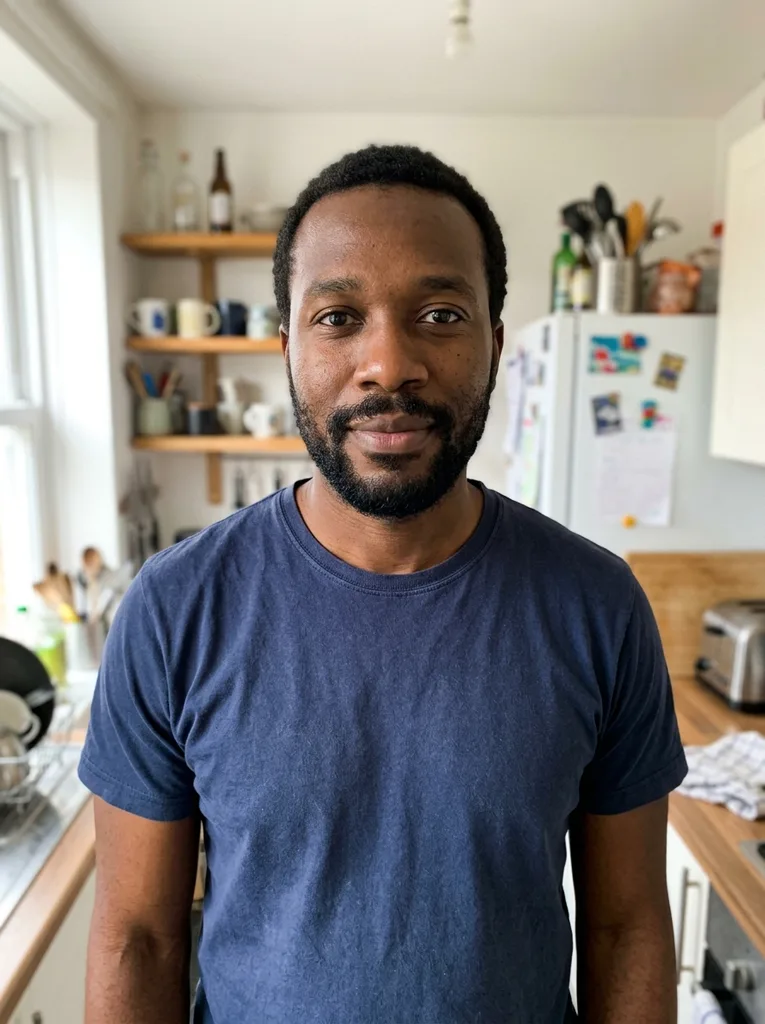 Before
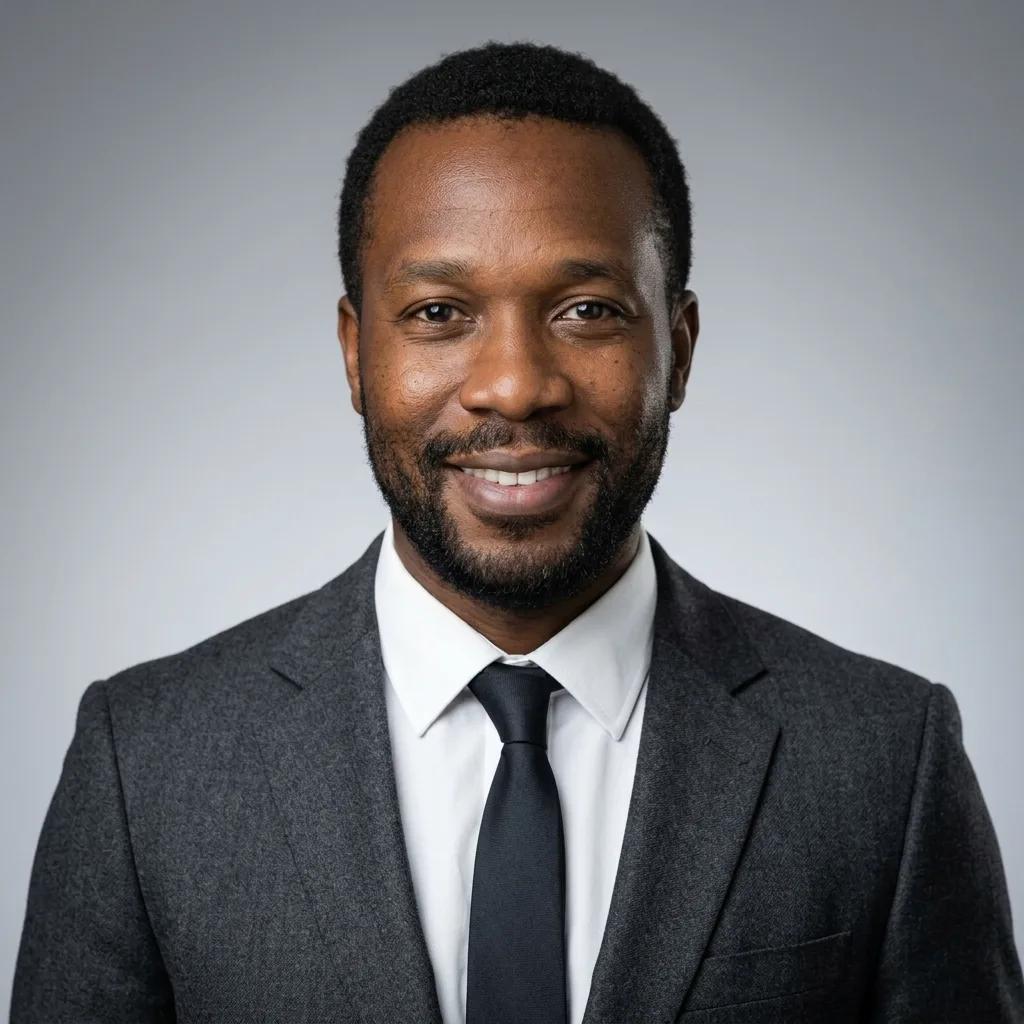 After
Example result. Upload your photo to make yours.
Examples
BeforeAfter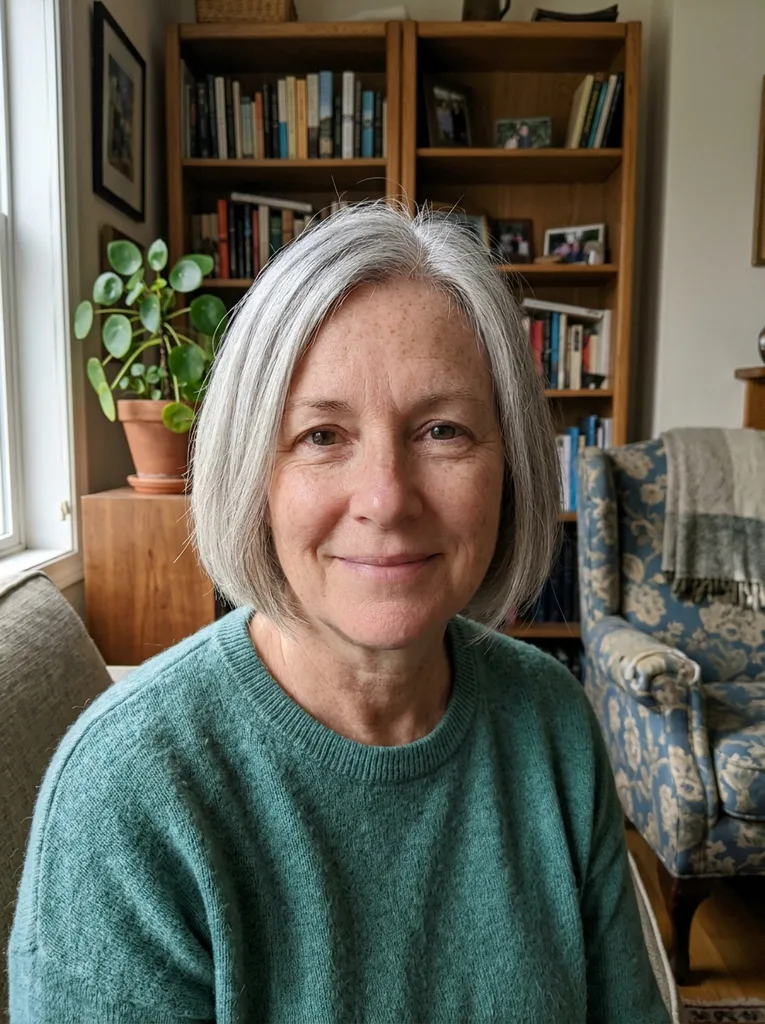 Before
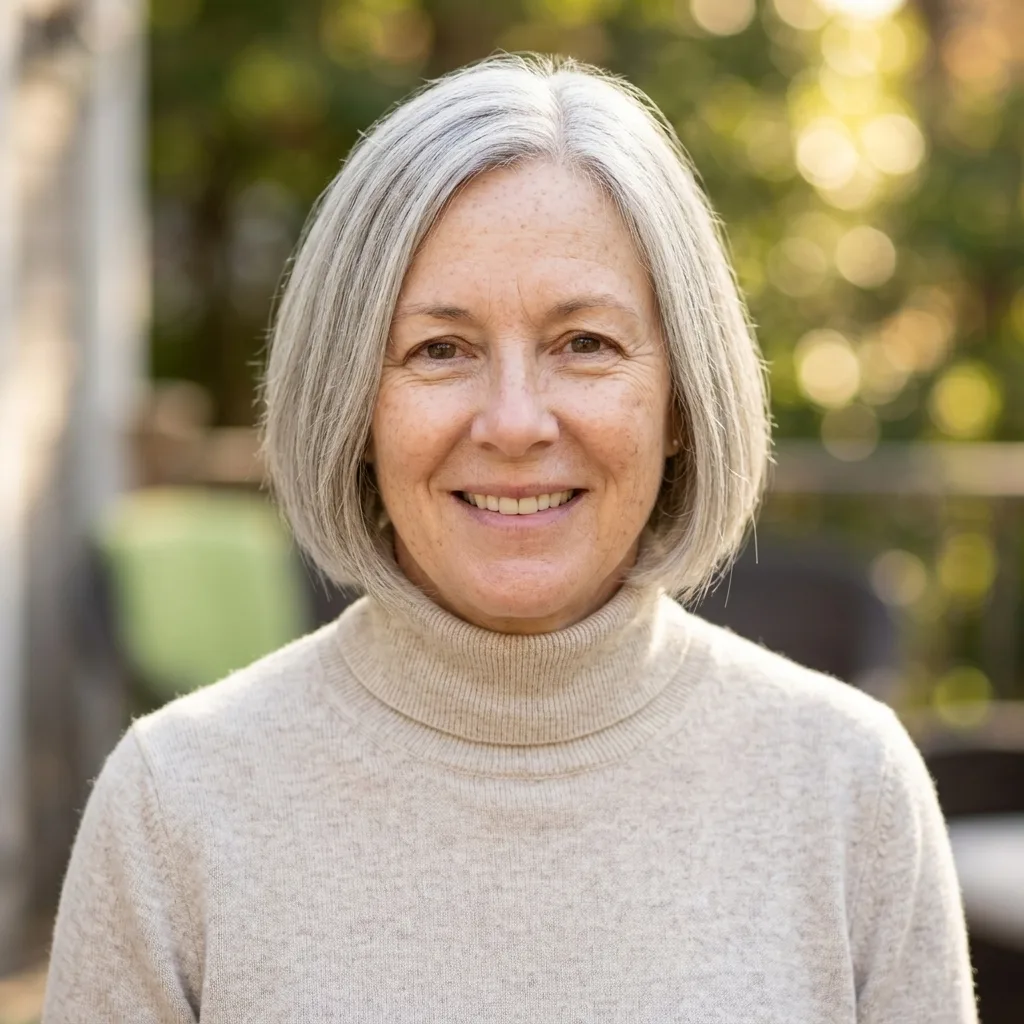 After
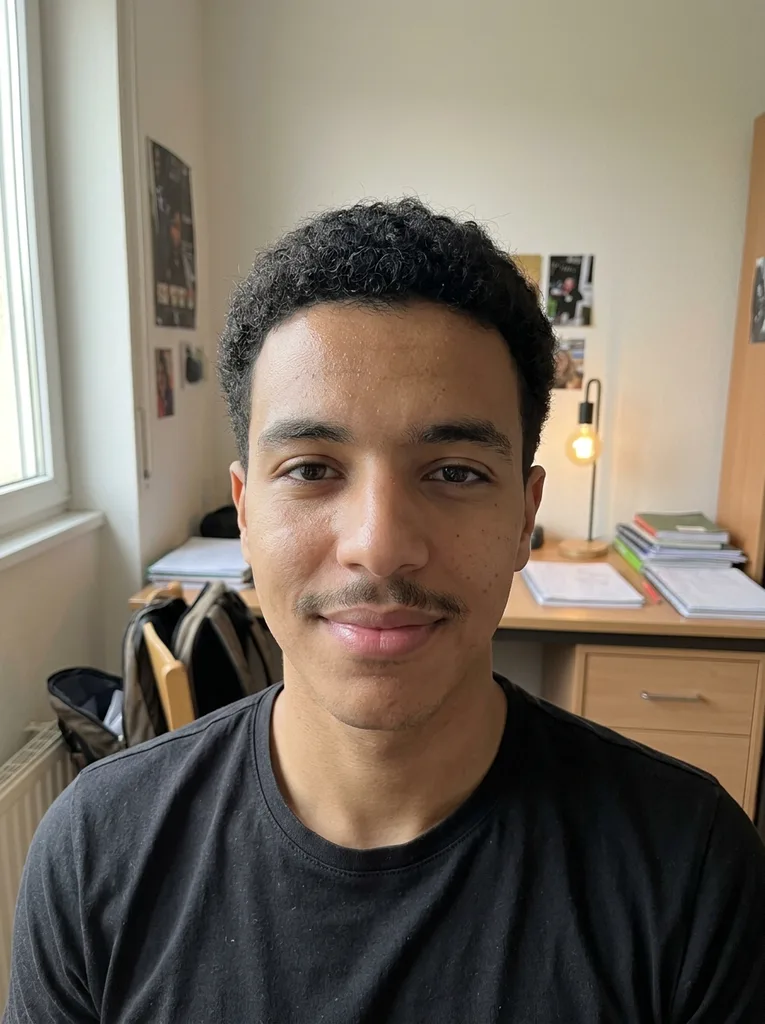 Before
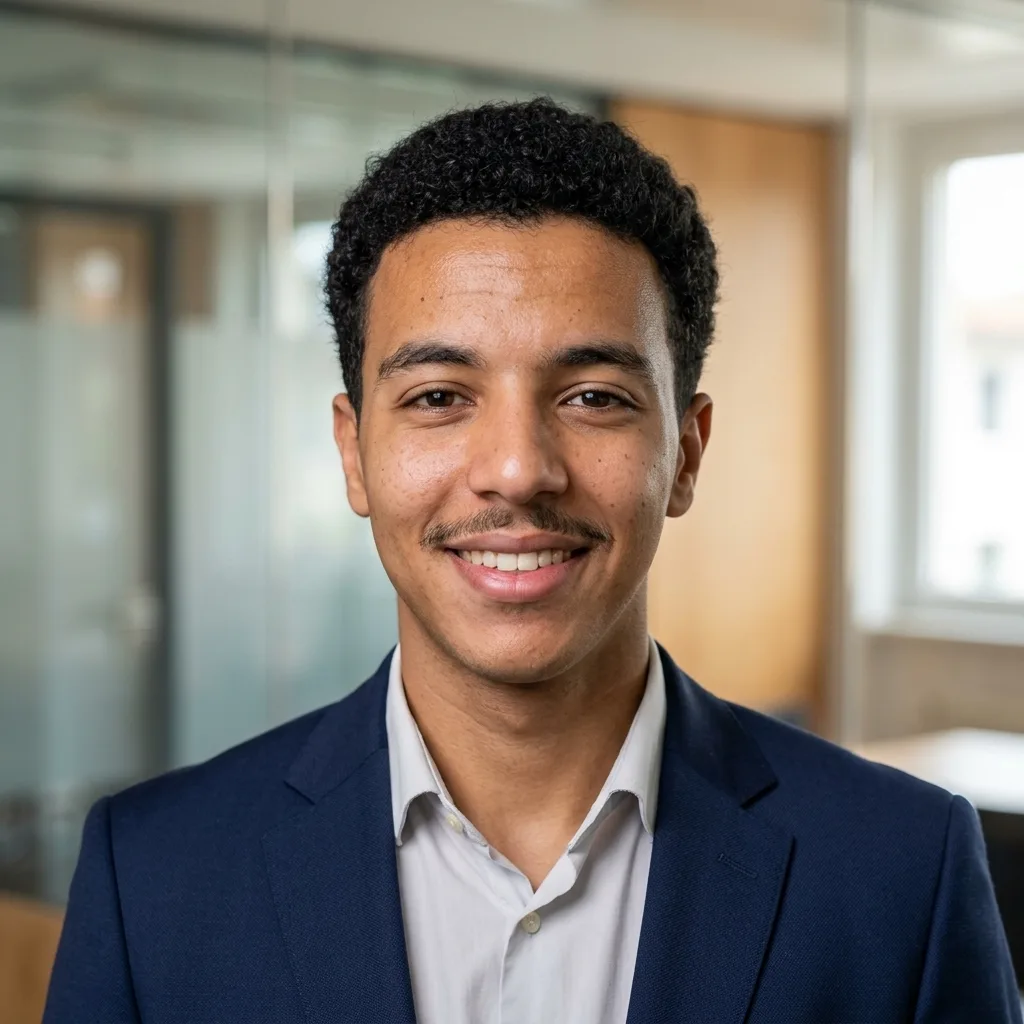 After
How to use this AI headshot generator free
- 1
Upload one selfie
A recent phone photo where you face the camera is enough. JPEG, PNG, WebP and iPhone HEIC photos all work.
- 2
Pick an outfit and a background
Choose one of five outfits, from Business Suit to Keep My Outfit, and one of five backgrounds, from Studio Gray to Outdoor Light. Add a short tweak such as "slight smile" if you like.
- 3
Generate and download
You get one square headshot, usually in under a minute. Download it straight from the page.
What you get from the AI headshot generator free of charge
Most free tiers are a trial of a paid pack. Here is what you get without paying anything.
One selfie, no training
Paid packs ask for 8 to 20 photos and build a model of your face first. With this AI headshot generator free to try, your one photo is edited directly, so there is no training step to wait for.
Real choices on the free headshot
Five outfits and five backgrounds make 25 combinations, and your free headshot can use any of them. Many free tiers hand you a preset style instead.
No sign-up, no card, no watermark
You upload and generate without an account or payment details. The download is a clean image with no logo stamped on it.
Built to keep your face
Every request tells the model to keep your face shape, eyes, skin tone, hairline, freckles and moles. It is told not to slim, de-age or airbrush you.
Free AI headshot vs free tiers, paid packs and a studio
What each route costs in photos, time and money. Prices are typical ranges from the services' own pages.
| This generator | Other free AI tiers | Paid AI headshot packs | Studio photographer | |
|---|---|---|---|---|
| Photos you upload | 1 selfie | Usually 1 selfie | Typically 8 to 20 selfies | None, you sit for a session |
| Price | Free for your first headshot | Free credits, often after sign-up | Typically $25 to $39 | Typically $150 to $500 |
| Account needed | No | Often | Yes | A booking |
| Wait | Usually under a minute | Seconds to about 2 hours, some with daily waitlists | Typically 30 to 120 minutes | Typically 1 to 3 days with editing |
| What you get | 1 square headshot | 1 to a few images, some watermarked | Typically 40 to 160 photos | A set of retouched shots |
| Outfit and background | 5 outfits or your own clothes, 5 backgrounds | Often a preset style | Depends on the pack | What you bring and what the studio has |
| Best for | One good headshot today | Trying a specific service | Many poses or a matching team set | Print, acting and brand shoots |
Where a free AI headshot does the job
Resume and CV
Clean White or Studio Gray keeps the photo quiet next to your text, and a square image is easy to drop into a resume template.
Before a job hunt
Replace a years-old photo on the day you start applying, on LinkedIn and job boards alike, without booking anything.
Freelance profiles
Upwork, Fiverr and similar marketplaces show your photo on every proposal and gig. A sharp headshot in Blazer, No Tie looks professional without looking stiff.
Speaker and author bios
Dark Studio gives the more formal, low-key look that suits an event program, a podcast page or a book's About the Author.
Email signature and work chat
A small square photo in Gmail, Outlook, Slack or Teams helps people put a face to your name before you meet.
What we saw when we tested our AI headshot generator
We tested the generator on five openly licensed portraits: a man in glasses, a dim low-res selfie, a woman in a hijab, a side-on street photo and a man with a full beard. We made 13 headshots across every outfit and background; all 13 came back.
What held up: Dark Studio kept faces evenly lit, the Business Suit looked natural on women, and the hijab and the beard carried through.
What didn't: Keep My Outfit once rewrote a T-shirt slogan into a different word, so the instructions now say to copy printed text or leave it out. With Crisp Shirt, a light gray-blue hijab came back dark gray. If a color matters to you, name it in the tweak box.
Get your one free headshot right the first time
You can use the AI headshot generator free for one headshot per visitor, so set things up first.
- Take a new selfie facing a window, with the phone at eye level about an arm's length away.
- Frame your head and shoulders alone, with no other people and no hand near your face.
- Wear your glasses or head covering if you want them in the headshot; the AI keeps them.
- Decide where the photo will go first: Clean White for a resume, Studio Gray for most profiles, Dark Studio for a speaker bio.
- Choose Keep My Outfit if you already wear what you'd wear to work; it changes the least.
- Keep the tweak short, like "slight smile" or "burgundy tie".
Mistakes that waste a free AI headshot
Mistake: Uploading a beauty-mode or filtered selfie.
Do this instead: Use the original camera photo. The AI keeps the skin it sees, so filter smoothing carries over and looks fake.
Mistake: Cropping yourself out of a group photo.
Do this instead: Take a fresh selfie. A crop is usually small and soft, and the AI can't add detail that isn't there.
Mistake: Using the tweak box to change your face.
Do this instead: Use it for clothing, expression or tidy hair. The generator is told to keep your features, and big face edits fight that.
Mistake: Choosing Modern Office for a formal document.
Do this instead: Office blur reads casual at small sizes. For a resume or a printed program, pick Clean White or Studio Gray.
What's free and what happens to your photo
What is free
Your first headshot, with any outfit and background, without an account or payment. It uses the same model and settings as every headshot on this site; there is no reduced free version.
Your photo
Your photo is only used to create your image and is never used to train AI models. It goes to the AI model provider only to make your image, is never sold or published, and you can email us to delete it.
SourceWhen a photographer is better
Book a photographer for large prints, acting headshots or a shoot with many poses. Our output is a square image sized for screens and documents, not posters.