
LinkedIn Headshot
Upload one selfie, pick an outfit and background, and get a square LinkedIn headshot framed for the circle crop. Your first one is free, no sign-up needed.
Your photo
For the best result
- One person only, face clearly visible and looking at the camera
- Even, soft light (face a window); avoid strong shadows or backlight
- No sunglasses, hats or filters; regular glasses are fine
- Shoulders visible works best; avoid arm's-length close-up selfies that distort the face (prop the phone up or ask a friend)
- A recent photo that looks like you do today on video calls
Outfit
Background
Result
 Before
 After
AfterExample result. Upload your photo to make yours.
Examples
BeforeAfter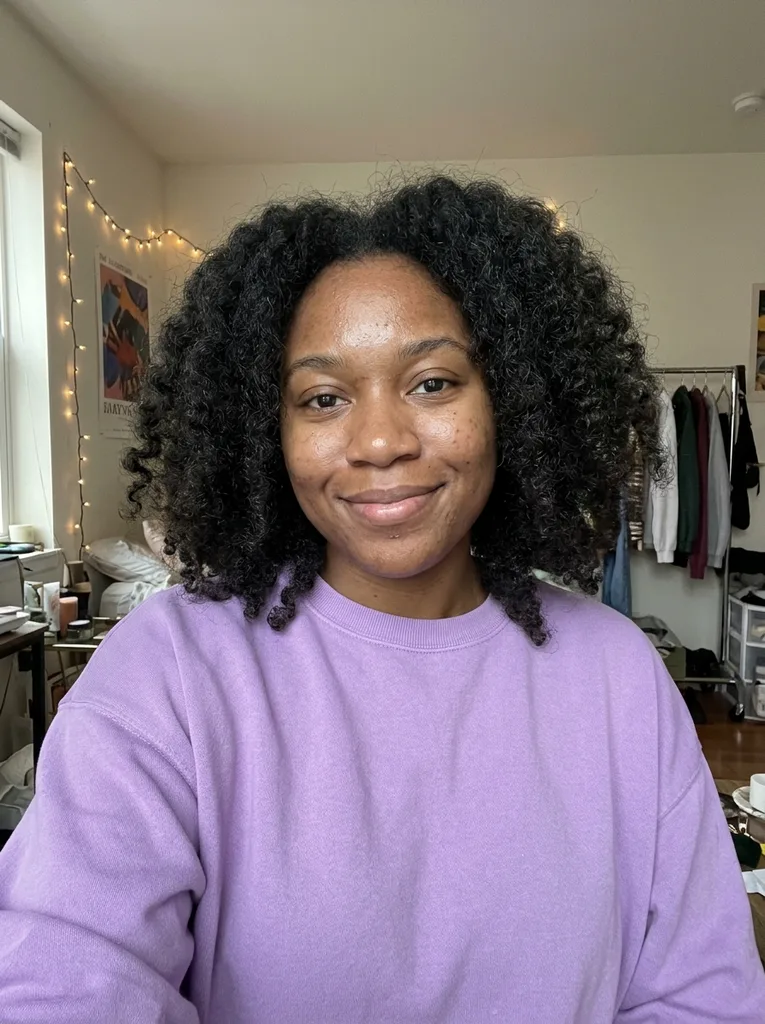 Before
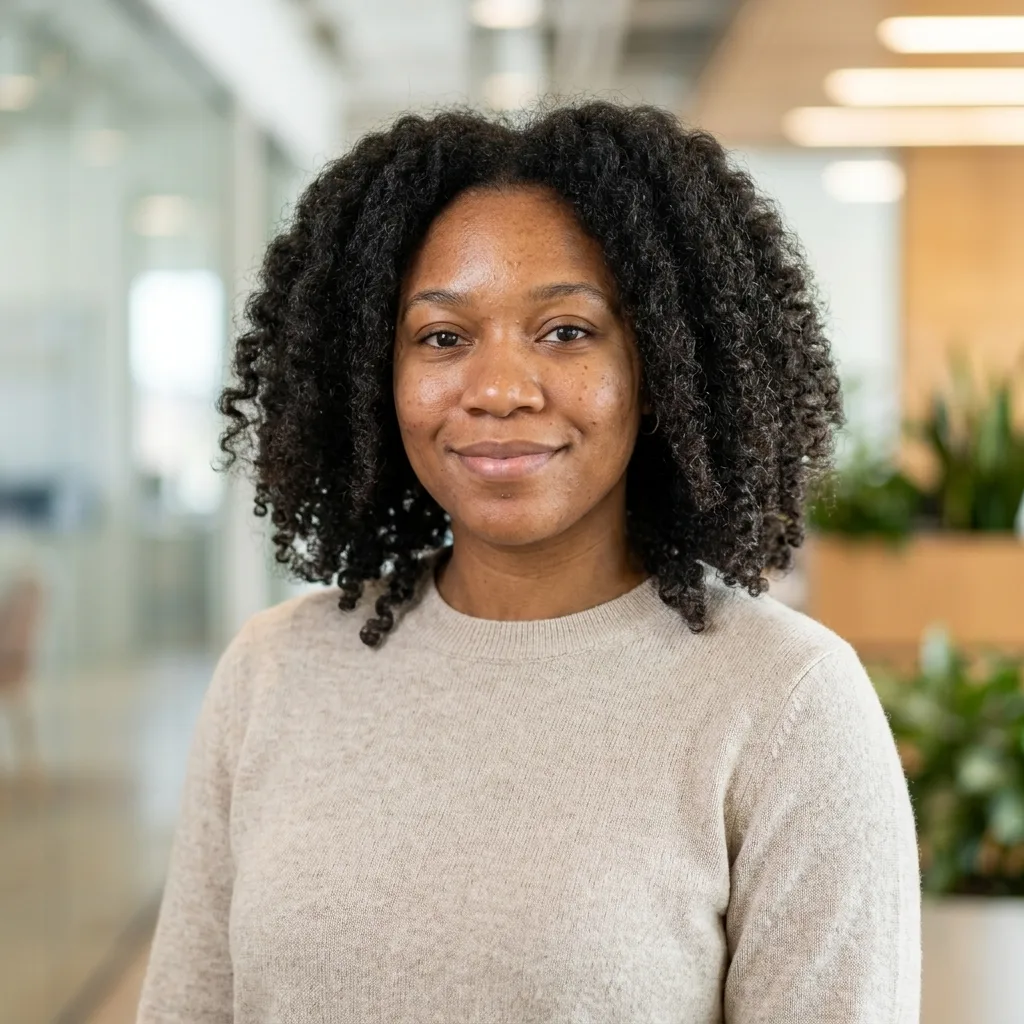 After
After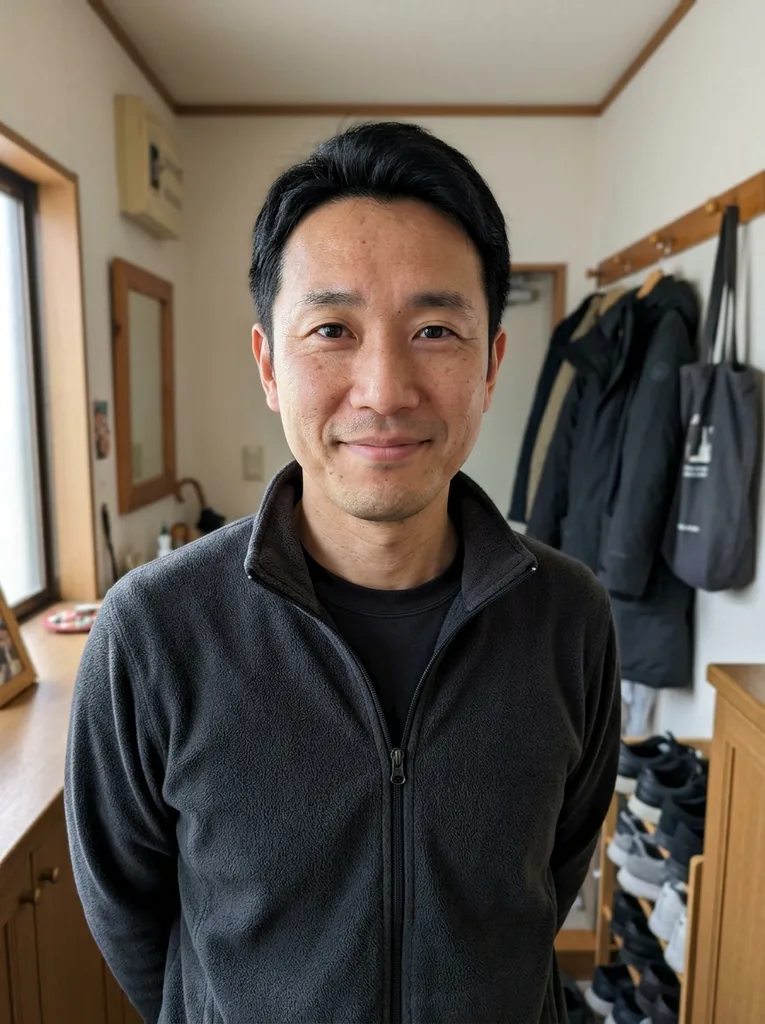 Before
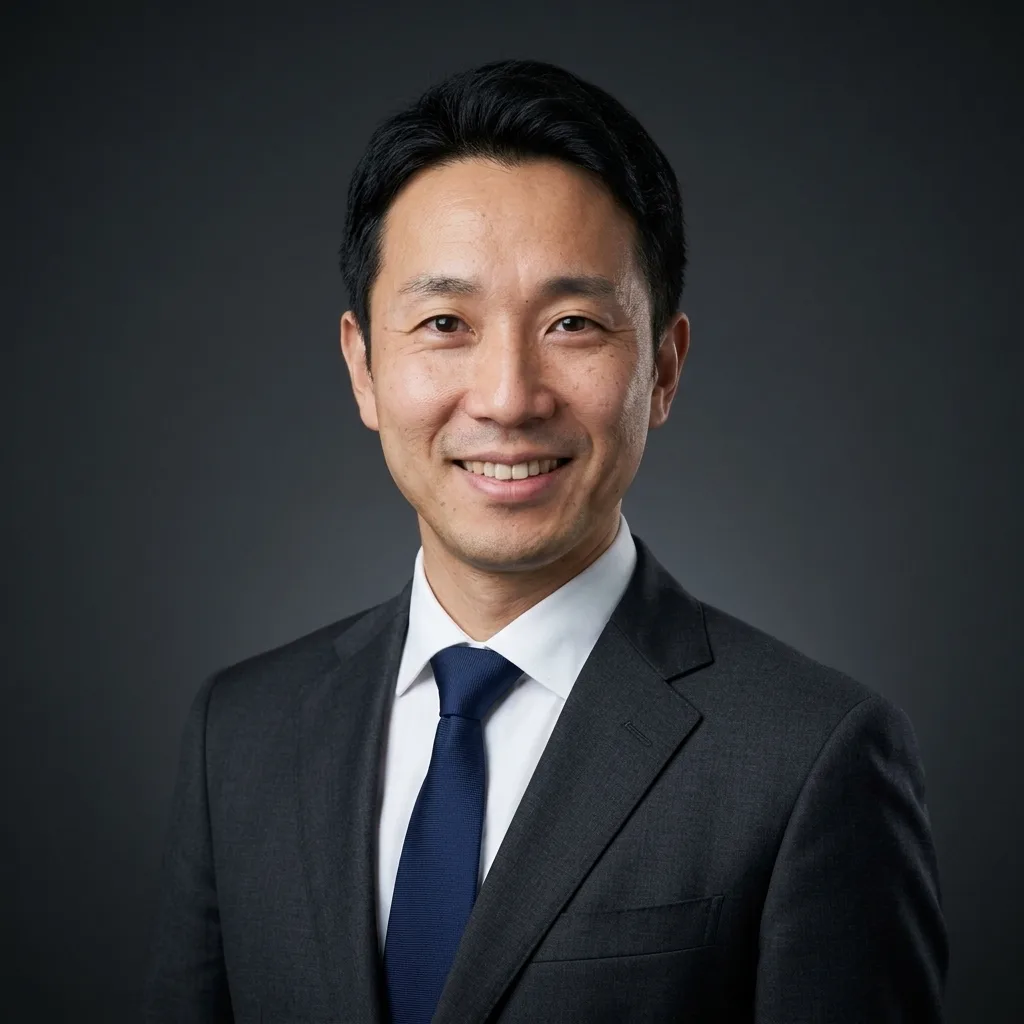 After
AfterHow to make a LinkedIn headshot in 3 steps
One photo in, one square headshot out. No studio, and no sign-up for your first one.
- 1
Upload one selfie
Use a recent photo of just you, facing the camera in soft light. JPG, PNG, WebP and iPhone HEIC photos all work.
- 2
Pick an outfit and a background
Choose Navy Blazer, Classic Suit, Business Casual, Medical / Lab Coat or Keep My Outfit, then Studio Gray, Clean White, Modern Office, City Outdoor or Dark Charcoal. Add a short note such as "burgundy blazer" if you like.
- 3
Check it, download, set it on LinkedIn
You get one square image of about 1024 x 1024 pixels. If it looks like you do on a video call, download it and make it your profile photo.
Why this LinkedIn headshot still looks like you
Most complaints about AI headshots come down to a face that isn't yours. These are the rules our generator follows.
Composed for the circle crop
Your face sits centered with headroom, cropped at mid-chest, and the background fills the whole square. LinkedIn's circle trims the corners, so nothing you need is there.
Your expression, not an invented smile
The generator keeps the expression from your photo and never adds a grin. Made-up teeth and mouth shapes are the quickest way to look like a stranger.
Tested on real faces before launch
We ran every preset on test portraits with glasses, a full beard, a head covering, darker skin and a dim selfie. All 13 results kept the person recognizable, with natural skin texture.
The right outfit without owning it
Pick the suit or lab coat your industry expects, even if it isn't in your closet. Prefer your own clothes? Keep My Outfit only tidies them and won't invent lettering on a shirt.
LinkedIn headshot options compared
Typical prices come from the published pages of paid AI headshot services and headshot photographers.
| This tool | Paid AI headshot pack | Headshot photographer | DIY phone photo | |
|---|---|---|---|---|
| Cost | First headshot free | Typically $34 to $79 | Typically $200 to $500 | Free |
| What you provide | One selfie | Several selfies | A booked session | A helper or a tripod |
| Before you see a result | No account, no card | Account and payment | Booking and a shoot | Nothing |
| Wait | Often under a minute | About an hour | Typically 2 to 4 weeks | Minutes, plus retakes |
| Photos you get | One per generation | Dozens to 100+ | Typically about 10 retouched | As many as you take |
| Outfit and background | 5 outfits, 5 backgrounds | Style packs | What you bring, studio backdrop | Whatever you have |
| Best when | You need a good LinkedIn photo today | You want many variations | Executive branding or print | You have good light and patience |
LinkedIn headshot looks by industry
Dress for your LinkedIn headshot the way you would for an important meeting in your field. Each pairing uses our presets.
Finance, law and consulting
Classic Suit with Studio Gray or Clean White. Formal and quiet, which is what clients in conservative fields expect.
Sales, marketing and account roles
Navy Blazer with Studio Gray. Polished without looking stiff, and it fits almost any company page.
Tech, startups and product
Business Casual with Modern Office or City Outdoor. A knit sweater or open collar reads as current, not careless.
Healthcare and research
Medical / Lab Coat with Clean White. The coat has no text, logo or name tag, so it never shows the wrong employer.
Founders and executives
Navy Blazer or Classic Suit with Dark Charcoal. A subtle rim light separates your hair and shoulders from the dark backdrop.
Students and new graduates
Navy Blazer with Clean White, or Keep My Outfit if you already own a smart top. A clean start for your first job search.
An AI LinkedIn headshot and the real-photo rule
LinkedIn asks for a real photo of you that shows how you look today. An AI-edited headshot meets that bar when only the clothes, background and light change. One that makes you younger, slimmer or someone else does not, and LinkedIn may remove it.
That is why the generator keeps your face shape, skin tone, age, hairline, glasses and expression, and skips airbrushing and face slimming. The test is simple: a recruiter who meets you on a video call should recognize you at once.
Refresh the photo every year or two, or sooner after a new haircut, new glasses or a beard. A new selfie and one generation keep your profile current.
Before you upload a selfie for your LinkedIn headshot
A few minutes of prep gives the generator a better face to work from.
- Face a window so soft daylight falls evenly on your face.
- Prop the phone at eye level or ask a friend, because arm's-length selfies stretch the nose.
- Keep your shoulders in the frame so the crop has something to work with.
- Make the expression you want now, since the generator keeps it as it is.
- Take off sunglasses and hats and turn off beauty filters; regular glasses can stay.
- Use a photo from this year, not one from three jobs ago.
LinkedIn headshot mistakes and how to fix them
Mistake: Cropping yourself out of a group or wedding photo.
Do this instead: Upload a photo of just you. A stray shoulder or a cut-off ear carries over into the result.
Mistake: A waist-up or full-body shot.
Do this instead: Your photo shows as a small circle next to every comment. Start from head and shoulders so your face fills it.
Mistake: A shirt with a big logo or slogan.
Do this instead: Pick Navy Blazer or Business Casual. Keep My Outfit keeps printed text as it is or leaves it out, but plain clothes look calmer.
Mistake: A busy bedroom, party or car background.
Do this instead: Studio Gray or Clean White keeps attention on you. Modern Office is blurred so no text in it is readable.
Mistake: Picking the most flattering result over the most accurate one.
Do this instead: Choose the result that looks like you on video calls. If it doesn't, try a sharper photo instead of settling.
LinkedIn headshot facts: price, privacy and limits
What is free
Your first LinkedIn headshot is free, with no sign-up and no card. The free allowance is one image, so set up your selfie and options with care.
What happens to your photo
Your photo is only used to create your image and is never used to train AI models.
LinkedIn's photo specs
LinkedIn takes JPG, PNG or GIF files from 400 x 400 to 7680 x 4320 pixels, up to 8 MB. Our square headshot fits inside those limits.
SourceWhen a photographer is better
Book one if your employer wants matching team photos, you need print-size files, or you want full-body shots. Our square image is made for screens.