
Headshot AI
Upload one selfie, pick your profession and a backdrop, and this headshot AI returns a studio portrait that still looks like you. Your first one is free.
Your photo
For the best result
- One person only, face clearly visible and looking at the camera
- Soft, even light (face a window); avoid harsh shadows, backlight and colored light
- No sunglasses, hats or beauty filters; regular glasses and religious head coverings are fine
- Head and shoulders in frame; hold the phone at eye level and at least arm's length away to avoid a wide-angle distorted face
- A recent photo with your current hairstyle, so the headshot matches how you look in person
Profession
Background
Result
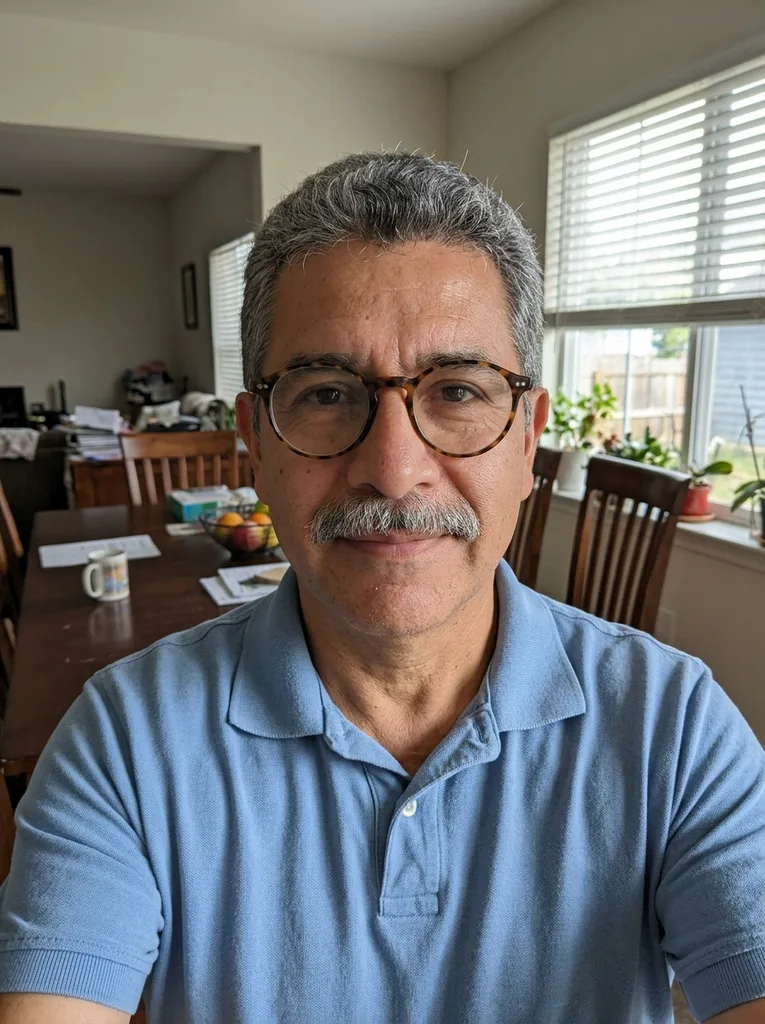 Before
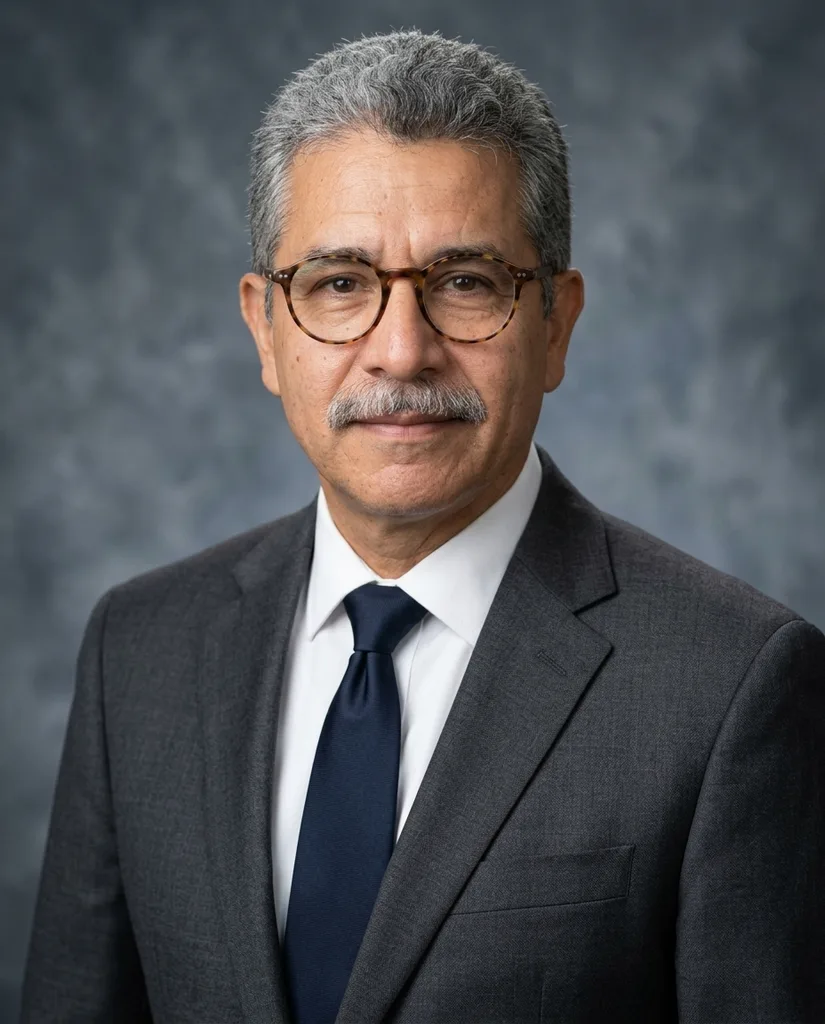 After
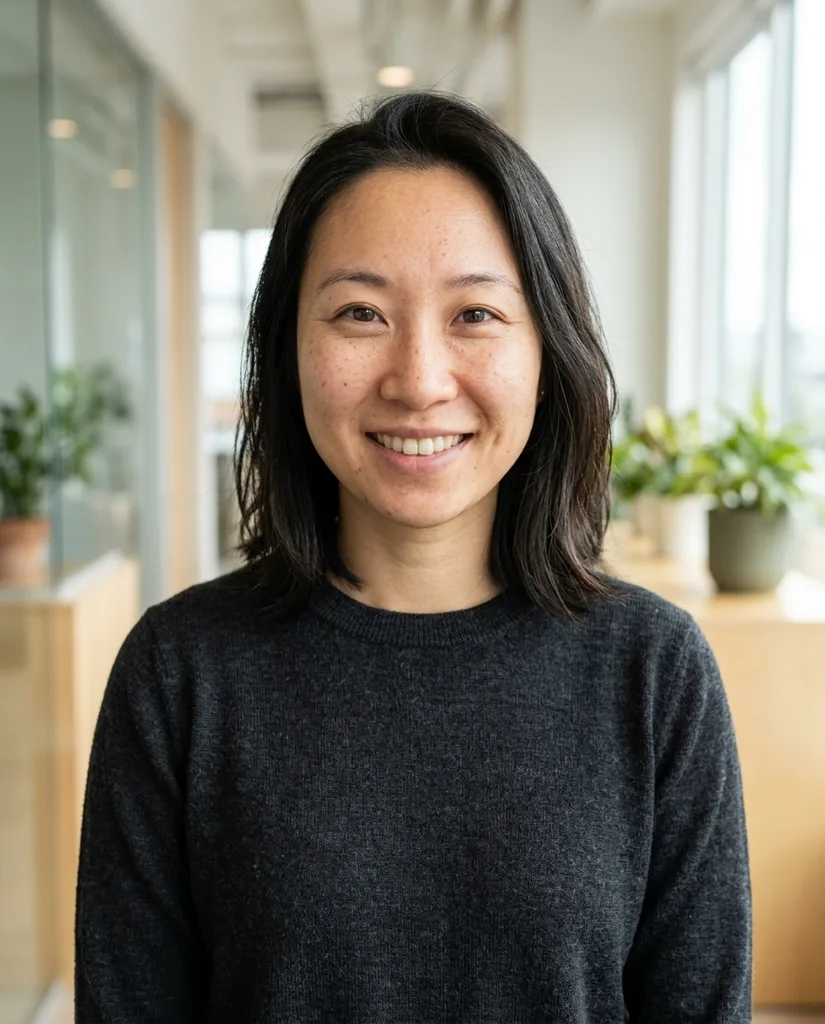
AfterExample result. Upload your photo to make yours.
Examples
BeforeAfter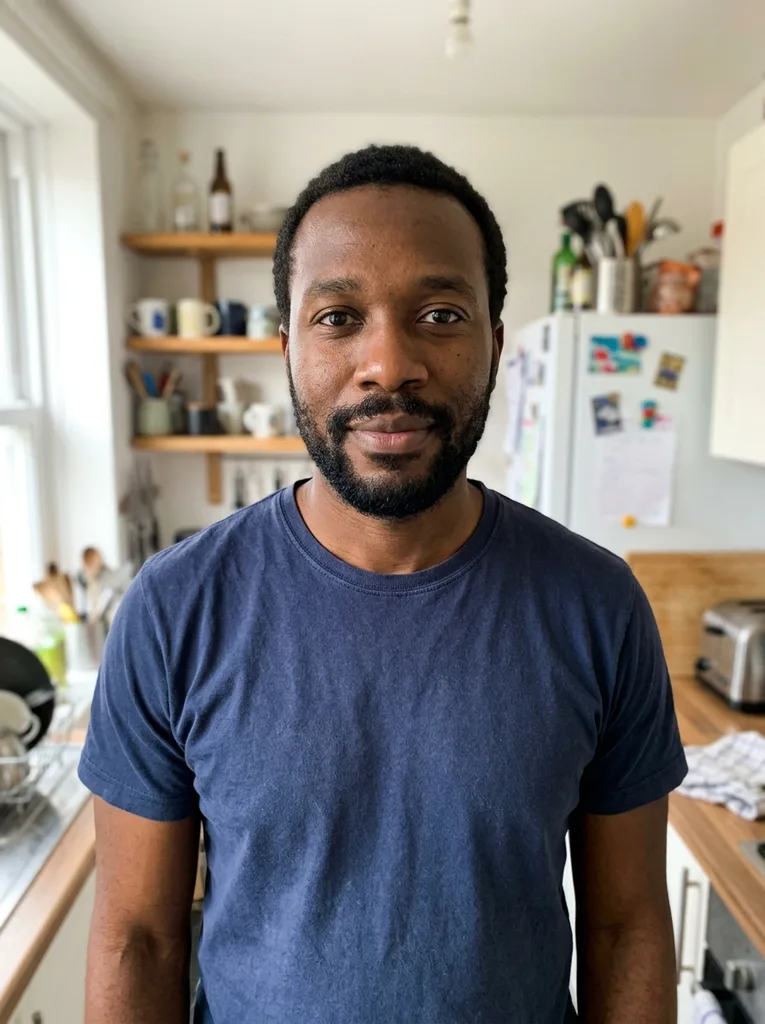 Before
 After
After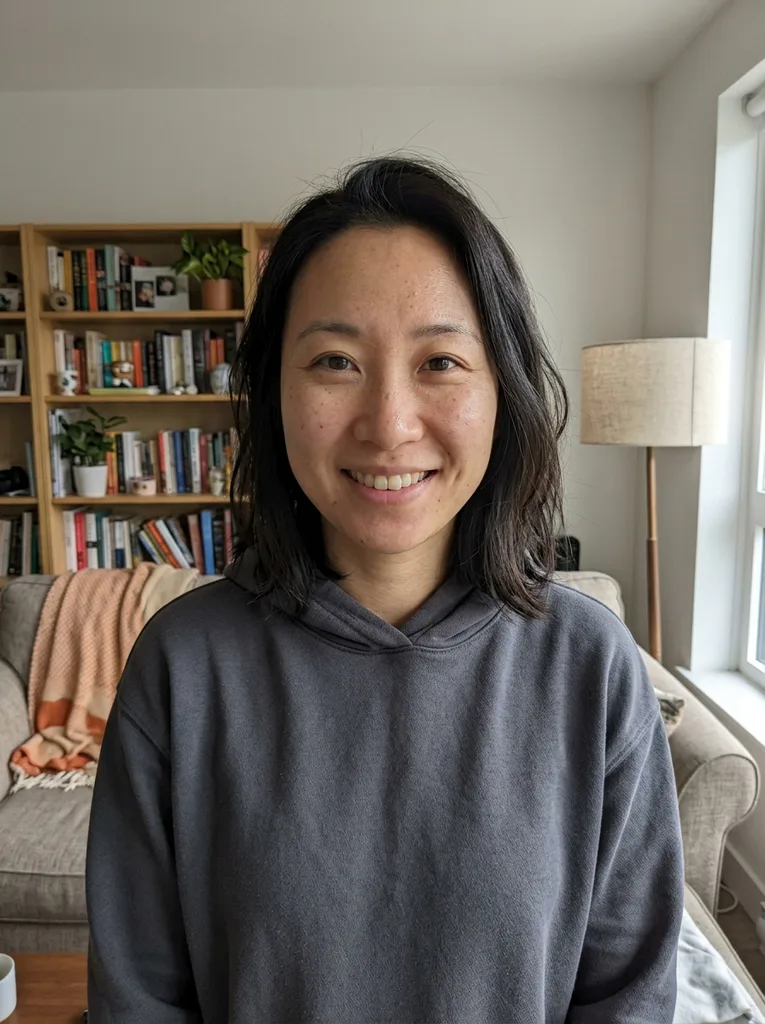 Before
 After
AfterHow Headshot AI works for your job
One photo in, one studio portrait out. Headshot AI needs no model training and nothing to install.
- 1
Upload one recent selfie
Face the camera in soft daylight with the phone at eye level. Your clothes don't matter, because the profession you pick replaces them.
- 2
Pick a profession and a backdrop
The profession sets the outfit and posture, the backdrop sets the scene. Add a short note if you need a change, such as green scrubs or no tie.
- 3
Generate and check the likeness
Put the result next to your selfie. Use it only if a colleague would recognize you at a glance.
Why this headshot AI still looks like you
One selfie, no training
Paid headshot packs usually ask for 6 to 20 selfies and train a model on them first. Here one clear photo is enough, and this headshot AI returns the portrait in the same visit.
Your job decides the outfit
Each profession preset sets the clothes, posture and mood for that field. A lawyer gets a dark suit and a realtor gets a friendly colored blazer without you describing either.
Rules against the AI look
The prompt keeps your face shape, skin tone, hairline, glasses and head covering, and forbids slimming, skin whitening and airbrushing. It keeps your own expression instead of adding a smile, since a new smile is where teeth and jaw drift.
4:5 framing with room to crop
Every portrait is a vertical head-and-shoulders shot, 928 by 1152 pixels, cut at mid-chest so hands stay out of frame. The face has margin around it, so a square or circle crop won't clip your head.
Headshot AI styles by profession, side by side
What each Profession preset puts you in, and the backdrop we would pair it with.
| What you wear | Pair it with | Made for | |
|---|---|---|---|
| Corporate / Executive | Charcoal or navy suit, white or light blue shirt | Studio Backdrop | Leadership pages, annual reports, press kits |
| Doctor / Healthcare | White coat, stethoscope, no name badge or logo | Clinic Bright | Clinic sites, staff directories |
| Lawyer / Finance | Dark navy or black suit, muted tie or plain blouse | Bookshelf / Library | Firm bios, advisor profiles |
| Real Estate Agent | Cobalt, camel or light gray blazer, no tie | Outdoor Natural | Listing signs, business cards |
| Actor / Commercial | Plain jewel-tone top, tighter crop, minimal retouching | Plain white | Your own actor site, a reference shot |
| Founder / Tech | Dark crew-neck, quarter-zip or soft blazer | Modern Office | Team pages, pitch decks, speaker bios |
| Company Team Page | Navy or charcoal layer, fixed framing | One backdrop for everyone | About page grids |
| Resume / CV | Collared shirt or blouse, shoulders square to camera | Plain white or Studio Backdrop | Printed and PDF resumes |
Where a headshot AI portrait gets used
Doctors, dentists and therapists
Patient-facing profiles and booking pages, where a calm, clearly lit face matters more than a dramatic backdrop. Nurses can ask for scrubs in the note.
Lawyers and financial advisors
Firm bio pages and directory listings that expect a conservative look. The Bookshelf backdrop reads as a law library without legible book titles.
Real estate agents
Yard signs and flyers print your face small, so the blazer color and open posture carry more than fine detail.
Actors and presenters
A clean reference for your own site while you save for a real shoot. Check your agency's rules before sending it to casting.
Founders and tech teams
Investor decks, conference speaker pages and podcast covers, in smart-casual clothes rather than a suit.
Students and job seekers
A tidy Resume / CV portrait for applications, student portfolios and printed CVs.
Companies refreshing a team page
New hires match the existing grid by choosing Company Team Page and the same backdrop as everyone else.
What our headshot AI test run showed
We tested every Headshot AI Profession and Background preset before launch on five openly licensed portraits, including a dim phone selfie, a headscarf and a full beard. All 18 generations came back with an image. The median wait was about 43 seconds; the slowest took almost six minutes with eight running at once.
At full zoom, freckles and fine lines were still there, with no smoothed skin. The Doctor preset drew the coat and stethoscope without inventing a name badge or hospital logo. Black Low-Key, the backdrop most likely to darken a face, kept it evenly lit.
What we have not proven is Company Team Page consistency across many people: we tested it on one. Line your team's photos up side by side before publishing.
When a photographer is the better call
A headshot AI fits websites, directories, resumes and decks, where you need a clean, current photo this week. It is not the right tool everywhere.
Book a real shoot for theatrical casting, where agencies expect an unretouched photo of you today. Book one for large prints, since the output is 928 by 1152 pixels. And book one when an employer, licensing board or brokerage asks for an original photograph. Paid AI packs, typically $27 to $70 for 20 to 140 photos, give you more variety but share the same limits.
Headshot AI mistakes and how to avoid them
You get one free headshot, so these are worth checking before you press generate.
Mistake: Uploading an old photo from a good hair day.
Do this instead: Use a photo with your current haircut and glasses. The AI keeps your hairstyle, so an old one won't match you in person.
Mistake: Holding the phone close to your face.
Do this instead: Hold it at eye level and at least an arm's length away, or ask someone to take it. A close lens widens the nose and face.
Mistake: Uploading a selfie with a beauty filter.
Do this instead: Use the unfiltered photo. A smoothed face leaves the AI less real skin texture to keep.
Mistake: Pairing an outfit with a backdrop of the same color.
Do this instead: Pick contrast: Clinic Bright for a white coat, Studio Backdrop or Bookshelf for a black suit rather than Black Low-Key.
Mistake: Using the note to change your face.
Do this instead: Keep the note for clothes and small details, like no tie or keep my earrings. Asking for younger skin or a smile works against the likeness rules.
Free headshot AI, photo privacy and limits
One free headshot, no sign-up
Every visitor can create one headshot without an account or a card, counted per device and per network. Once it is used, that device and network get no more free headshots.
Your uploaded photo
Your photo is only used to create your image and is never used to train AI models. We don't sell or publish it, and you can email us to have it deleted. Don't upload someone else's photo without their permission.
SourceWhat you get
One vertical, portrait-format headshot per generation, sized for web bios and resumes rather than large prints.